
A photo or a document. Every date becomes a task.
School notices, event calendars, the monthly schedule, a PDF from email or that endless class group chat: share it with Flia and the assistant finds every event and everything you need to get ready.
Download on the App StorePhoto, screenshot, PDF or message
Take a photo in the app, pick one from your library, paste a screenshot, or share a PDF or a message from WhatsApp or Mail with Share → Flia. PDFs up to 4 pages work too.
Everything on the page
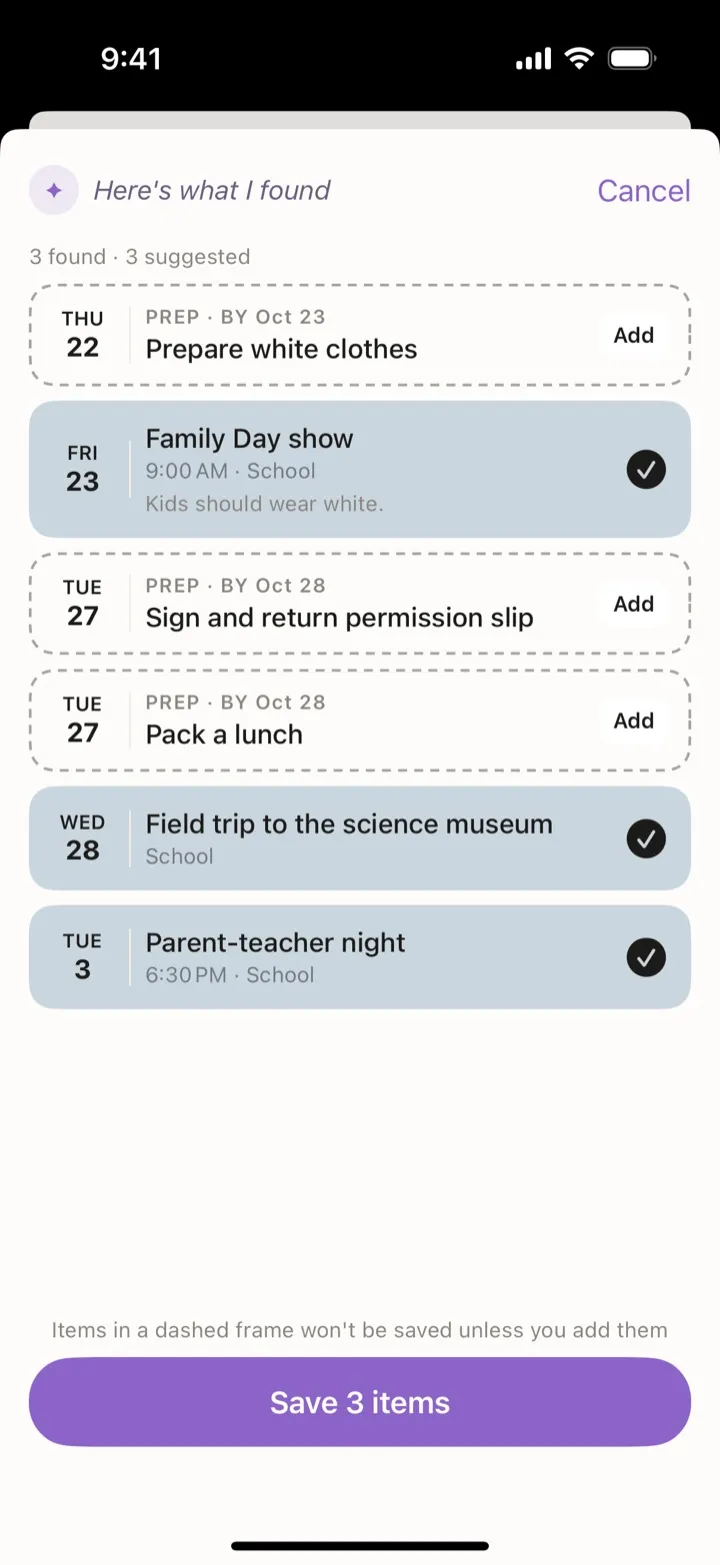
Three dates on the flyer, three tasks. A weekly schedule is saved as repeating tasks. Check the cards, switch off what you don’t need and save them all at once.
What to prepare, the day before
“Wear white”, “sign the permission slip”: Flia suggests those as tasks for the day before and links them to the event, so you can see what’s still missing.
Questions
Are my photos stored?
No. The photo is sent once to the AI service to read it and isn’t kept on our servers.
What if the flyer is in another language?
Flia reads it anyway. In Settings you can have tasks always created in English.
Start today, free
Download Flia, invite your family and tell it the first thing on your mind.